In my MS, I designed Google Drive for a smart TV and a car's center screen. It stayed at wireframes. This drop is the car half, rebuilt in code, so you can actually shift gears and watch it change.
One screen, two modes
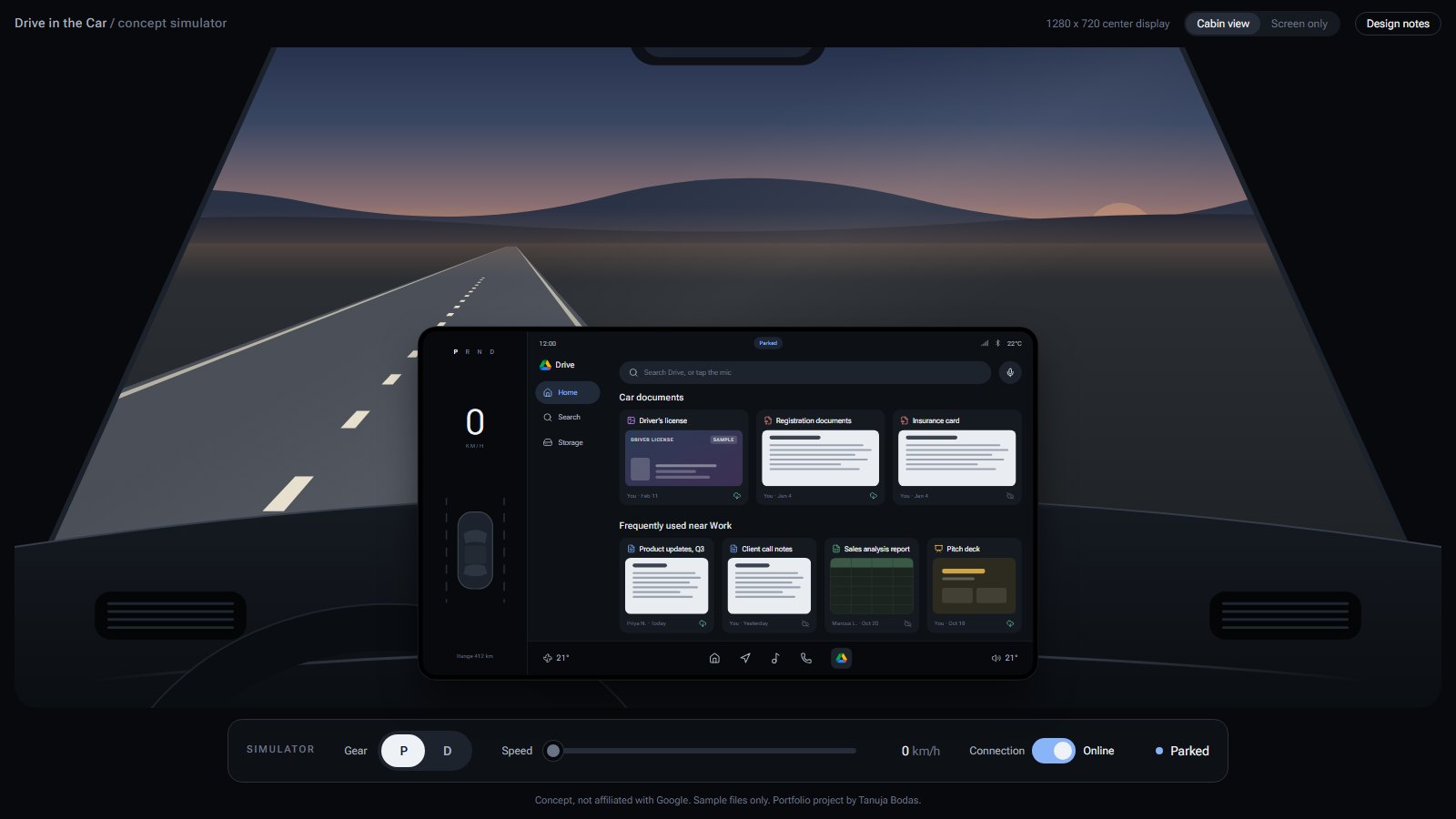
Parked, it's a normal file app. Browse, preview, play a slideshow, read a document aloud. In drive, it only lets you do what's safe with your eyes on the road: tap a file and listen to it.
The switch is the gear, not the speed. NHTSA counts stopping at a red light as driving unless the car is in Park, so the screen never relaxes at a light.
What changed from my wireframes
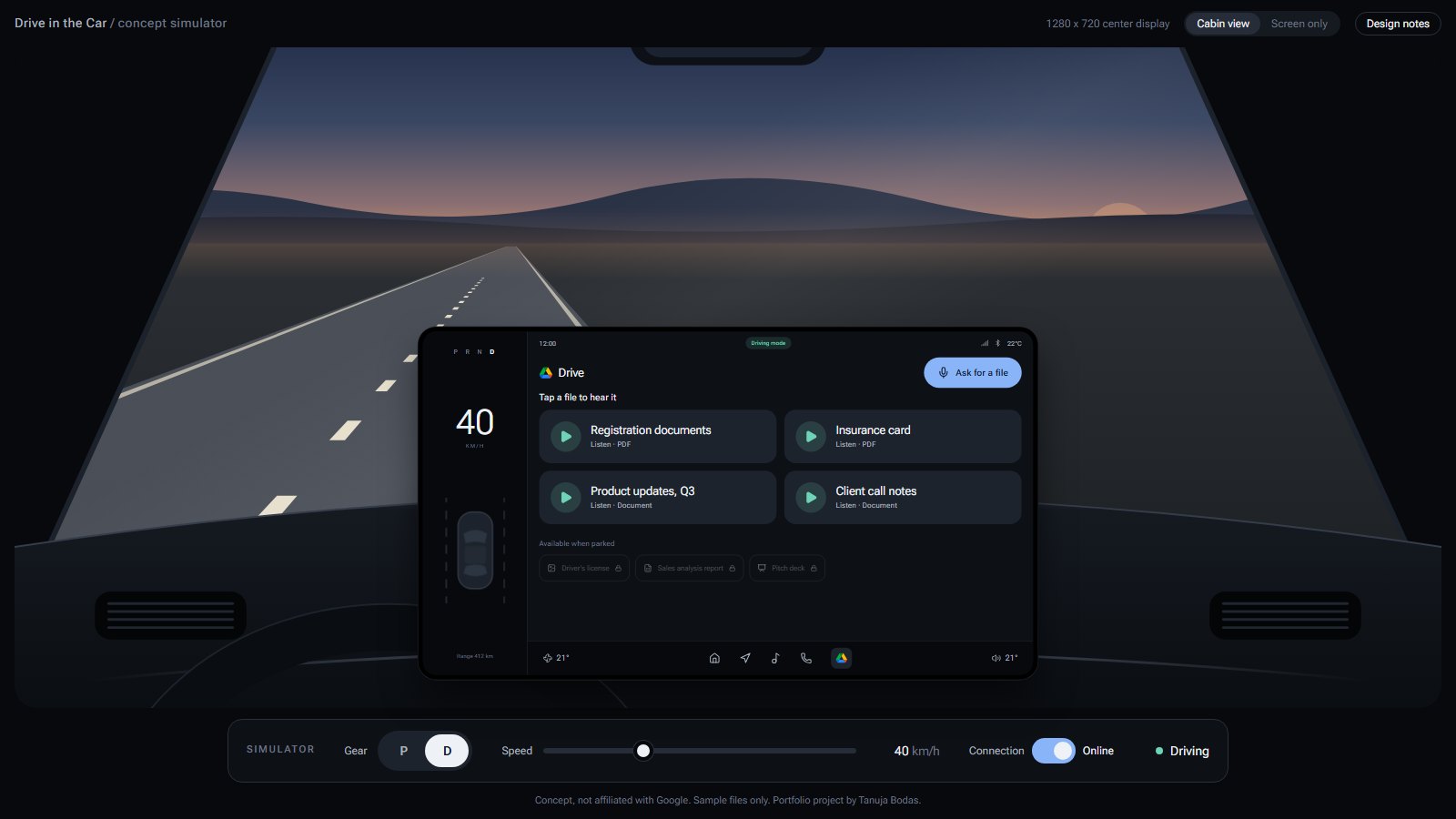
- Regroup, don't cover up. My 2025 wireframes put a "you can't open this" overlay on each blocked file. Now the usable files grow, the rest shrink into one quiet row, and the tiles glide to their new places.
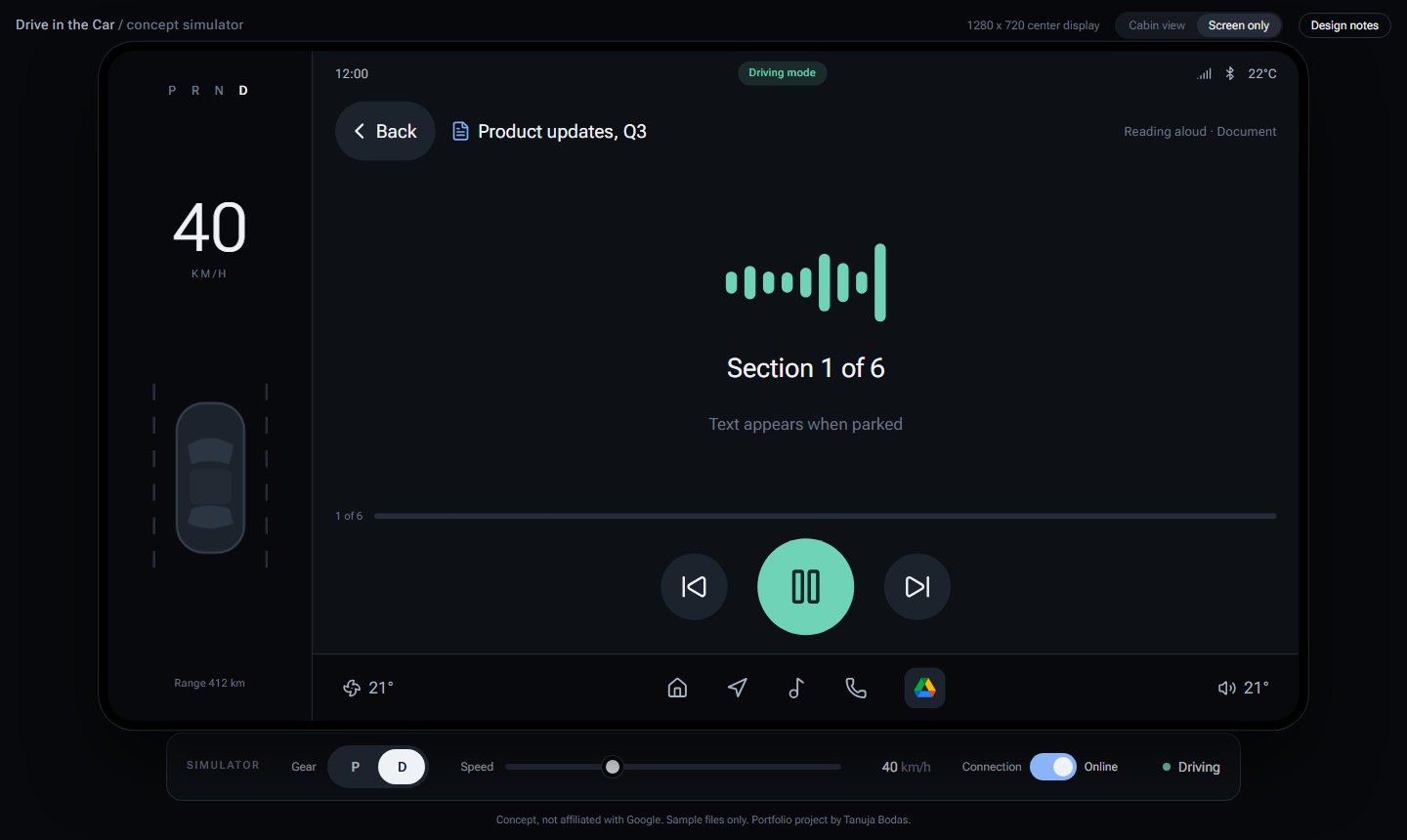
- No document text while driving. My wireframes showed the document one line at a time. Those lines move with the speech, not the driver, and NHTSA recommends locking out text that scrolls at a pace you don't control. So driving is audio only.
- Locked things still answer. Tap a file that needs Park and it tells you why, instead of doing nothing.
- It keeps your place. A file you had open when you shifted into D comes back when you shift to P.
Voice and bad signal
- Ask for a file. Voice search uses the browser's speech recognition. While driving it shows that it's listening, but not the words, because Android Automotive restricts showing transcribed speech on the move.
- No connection. Files saved to the car still play and move to the top. Anything that needs a signal says so.
- Didn't catch that. Voice offers Try again, and example phrases when the microphone isn't available.
Honest numbers
By my count, every driving task takes one tap and one or two glances of about 1.5 seconds each, inside NHTSA's 2 second glance and 12 second task limits. These are my estimates from the flows, not measured with drivers. Testing them is the next step.
Concept, not affiliated with Google. Sample files only.