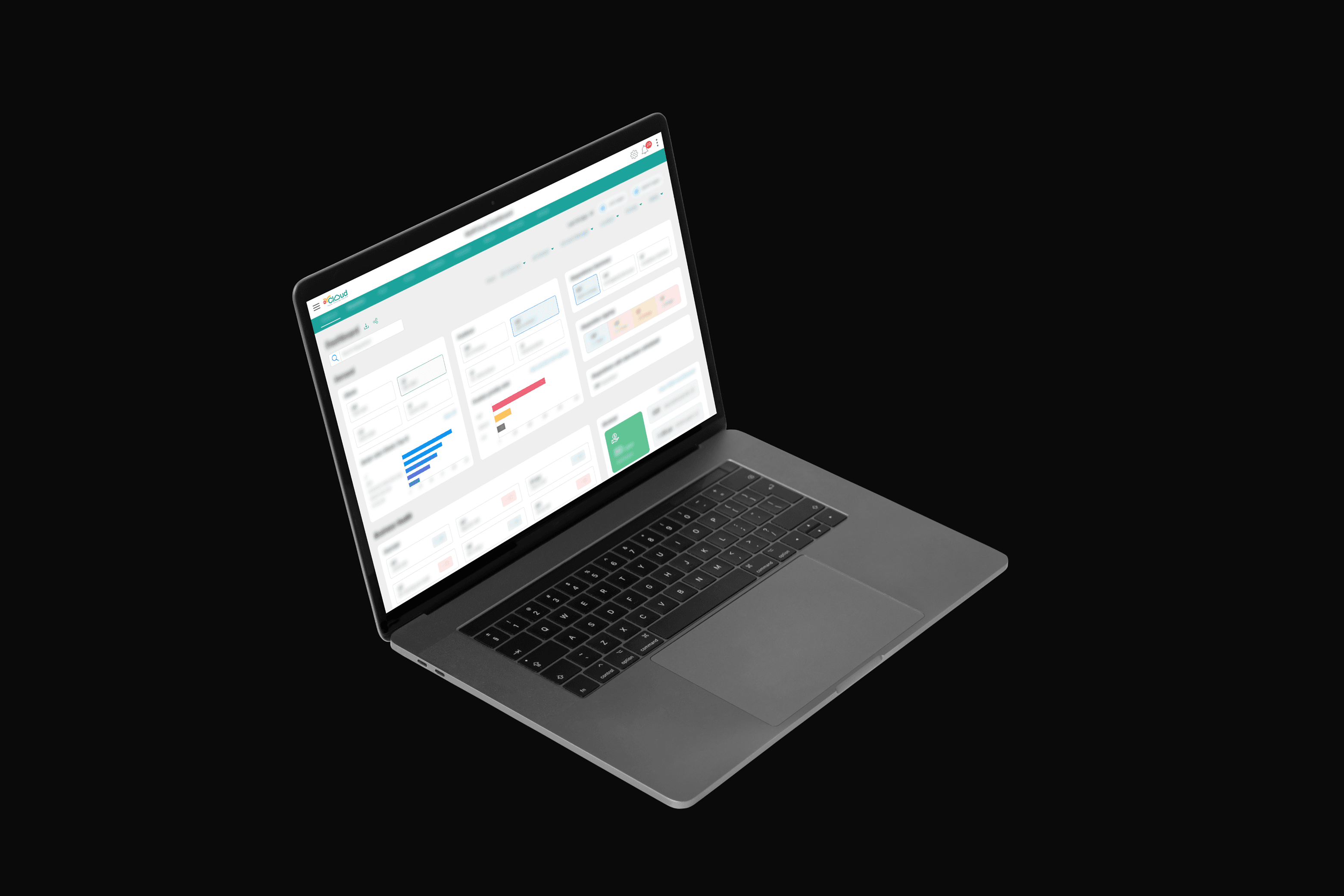
MyRCloud.
Designing a recruitment marketplace from scratch, replacing a Google Sheets operation with a multi-sided platform serving 100+ clients and 600+ recruiting partners.
- Problem
- An entire recruitment marketplace was running on Google Sheets and phone calls. 6+ user personas across clients, recruiters, and internal ops had no shared system, leading to lost candidates, duplicate outreach, and zero visibility into pipeline status.
- My Role
- Solo UX designer working directly with CXO stakeholders: discovery workshops, live co-design sessions, information architecture for 6+ personas, interaction design, and embedded collaboration with the dev team during implementation.
- Timeline
- 8-month engagement from discovery through launch, including a 3-month beta. Timeline extended 6 months from original estimate after design questions uncovered missing flows the business hadn't anticipated.
- Outcome
- A live multi-sided recruitment platform at myrcloud.com with 100+ clients, 600+ recruiting partners, and 3,000+ positions closed. Shipped March 2023.
Challenge
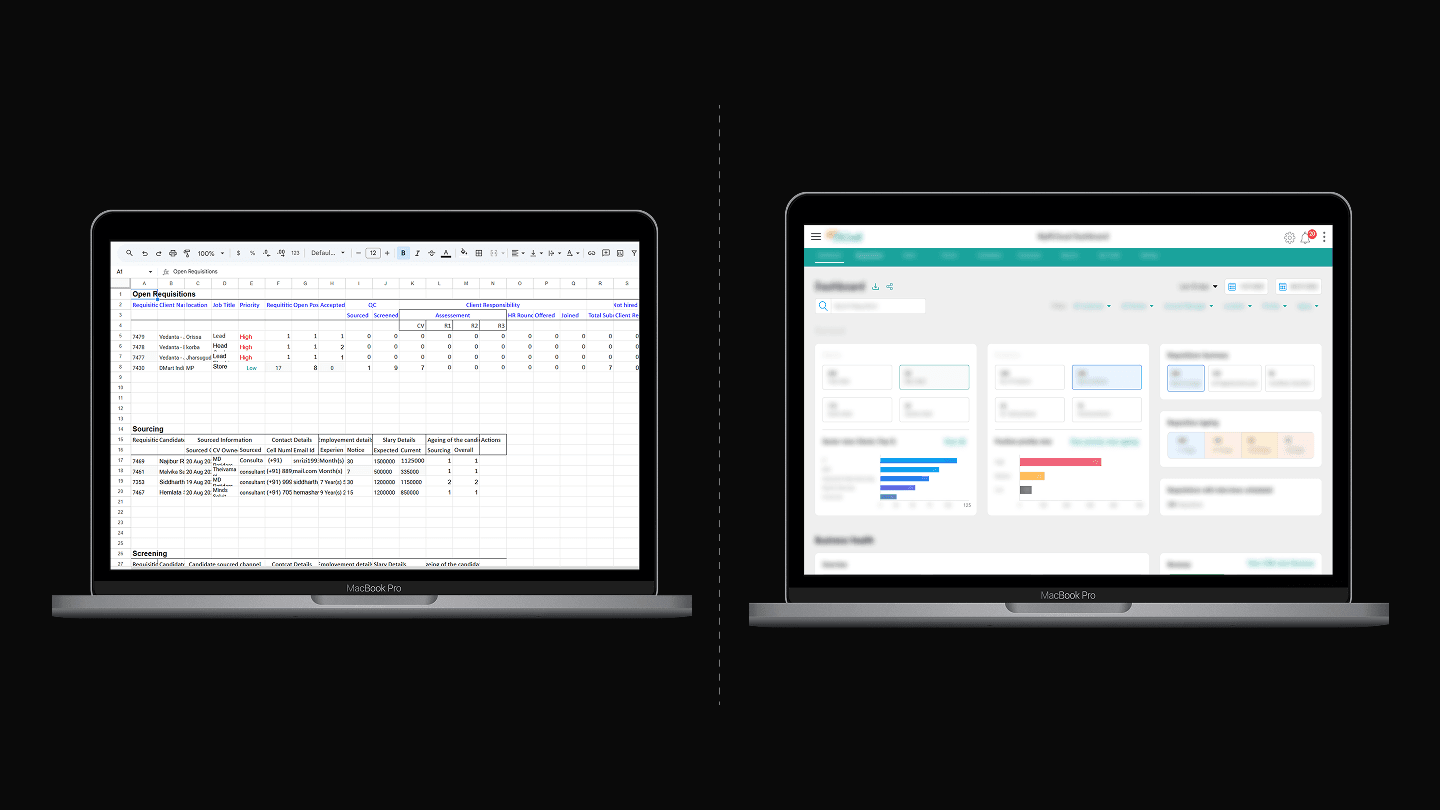
When I joined the project, their entire operation ran on Google Sheets. Account managers tracked requisitions in spreadsheets. Partner assignments were managed through email. Candidate progress through interview stages existed in someone’s head or in a shared document that was always out of date.
MyRCloud (Reccloud Technologies Private Limited) is a recruitment agency that connects corporate clients with recruiting partners to fill open positions. They partnered with EMA Partners and ZingHR to build a digital platform for their operations.
The core challenge was not just putting spreadsheets into a web app. It was understanding how an entire recruitment operation works across multiple people with different roles, permissions, and goals, and then translating that into a coherent digital system.
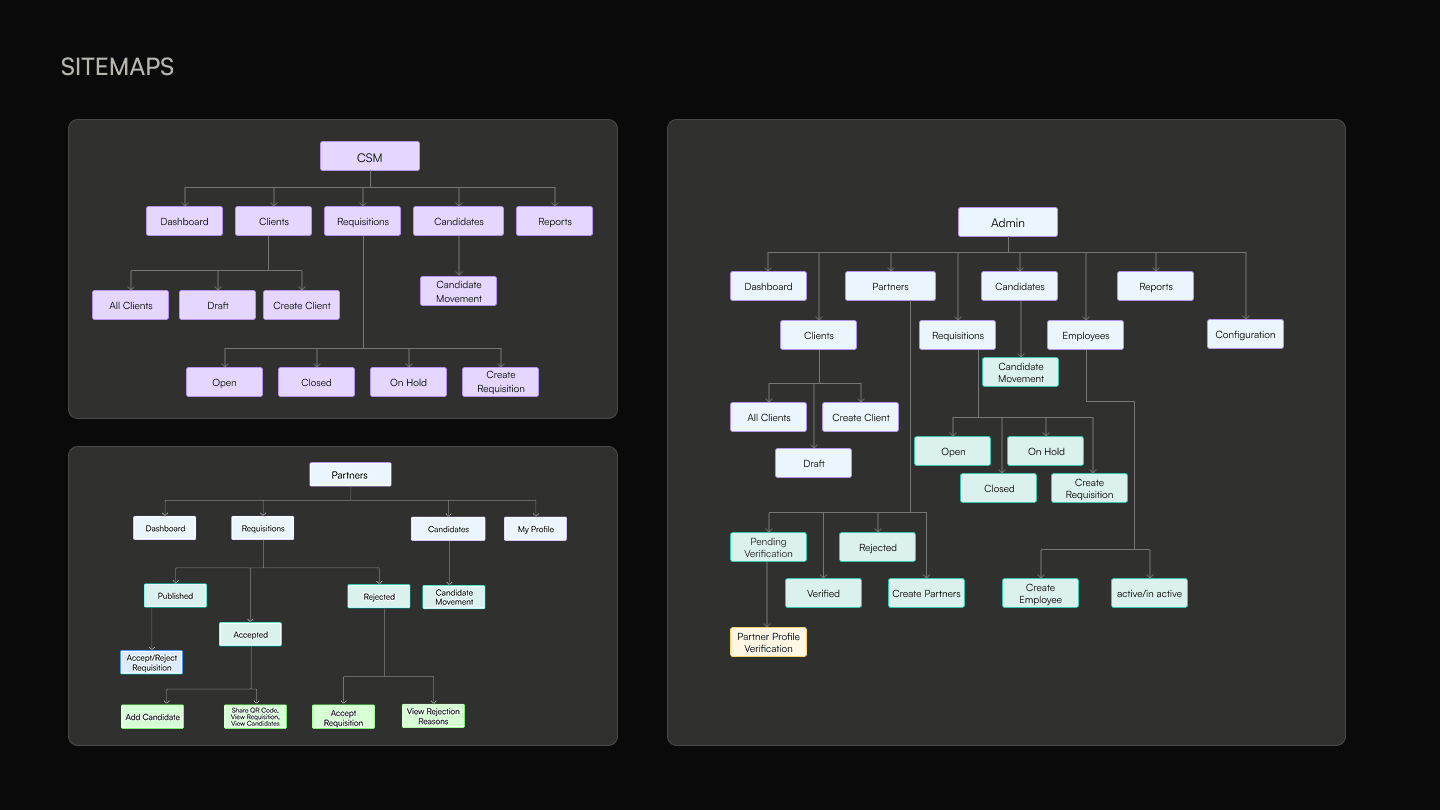
The platform needed to serve six distinct user types simultaneously: Corporate Clients who create requisitions and hire candidates. Recruiting Partners (independent recruiters or agencies) who source and submit candidates. Candidates whose profiles and interview progress are tracked through the system. Client Success Managers (CSMs) who manage client relationships and oversee candidate movement. Partner Success Managers (PSMs) who onboard, verify, and manage recruiting partners. And a Quality Check (QC) Team who screen candidates before they reach clients.
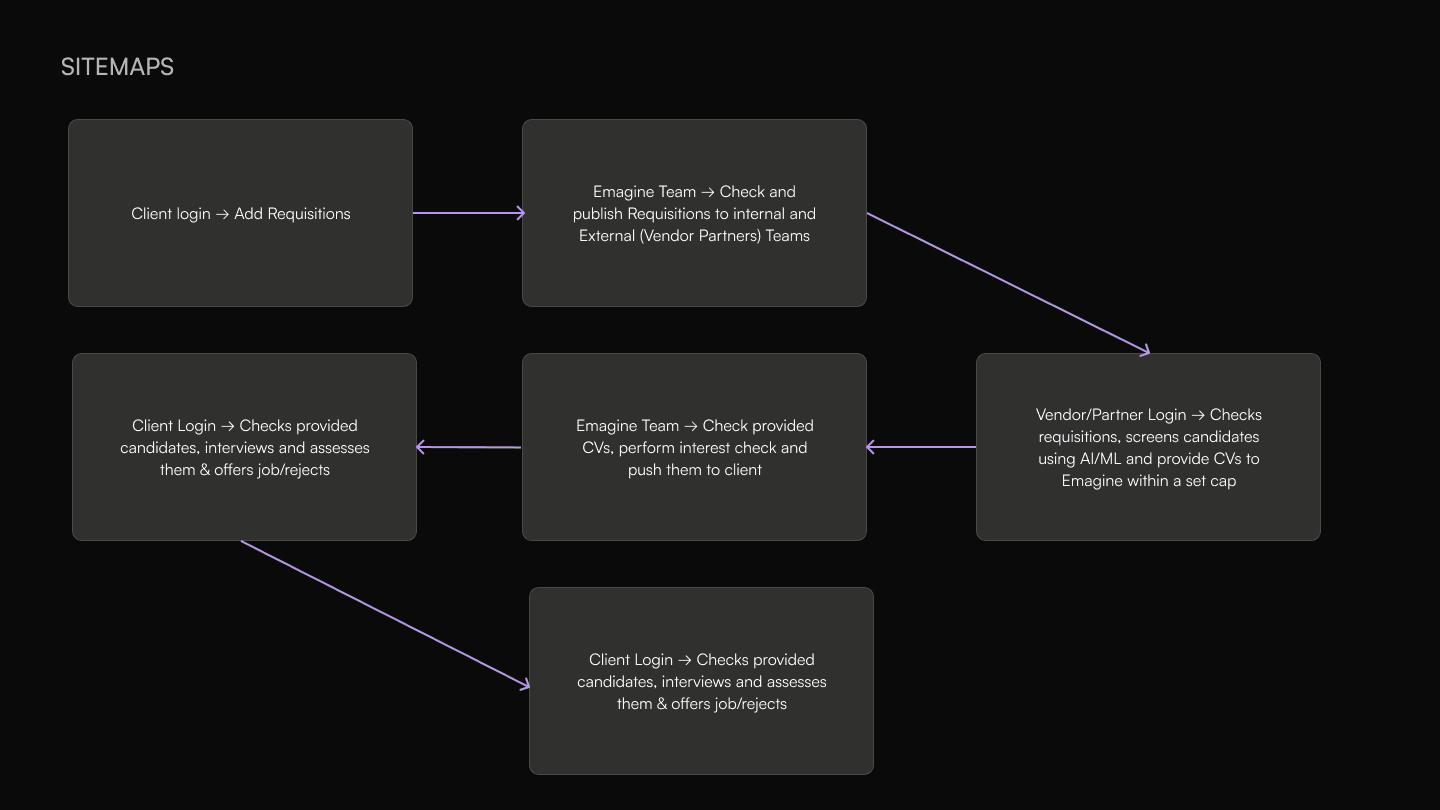
Each persona needed a different dashboard, different navigation, and different available actions, but their workflows were deeply interconnected. A requisition created by a CSM gets published to Partners, who submit candidates that are screened by QC, reviewed by the Client, and tracked by the CSM throughout.
The business had never been digitized before. The people running it understood their workflows intuitively but had never had to articulate them as structured processes. Translating this tribal knowledge into explicit system logic was the central design challenge.
Process
Research Through Workshops
I did not have the luxury of a traditional research phase with user interviews and surveys. The research happened through intensive workshops at the MyRCloud office, where the operations team showed me how everything was managed with Google Sheets. We mapped flows on whiteboards in the conference room, tracing how each persona’s actions triggered work for another persona. These sessions produced the foundational flow diagrams and sitemaps that guided the entire design process.
When the project manager’s briefs were not enough to understand the business logic, I got on calls directly with the COO and CFO. There were sessions that lasted 4 hours, where a CXO would explain a flow and I would design screens live on screenshare. This eliminated weeks of back-and-forth and ensured the designs reflected how the business actually worked, not how someone summarized it in a document.
Uncovering Missing Flows
In the early workshops, stakeholders described the system as if partners and clients would simply exist in it. In the real world, onboarding happened informally. Someone knew someone, the HR team handled paperwork, and people just started working. But a digital system cannot work that way.
I asked: how does a partner actually get into the system? That single question generated multiple flows that had not been scoped. The recruiter self sign-up process. The PSM verification workflow with pending, verified, and rejected states. The admin employee management system. The CSM client creation flow with its six-step process covering primary information, business details, SPOC contacts, contract information, documents, and a preview.
This pattern repeated throughout the project. Questions I asked during design kept uncovering flows and edge cases that nobody had considered because the manual process handled them implicitly. The original timeline was three months. The project shipped six months later than planned, directly because of this uncovered complexity. This was not a failure of planning. It was the design process doing its job.
Defining Business Logic
Designing the dashboards required more than layout decisions. Every metric needed a definition that the business had never formalized.
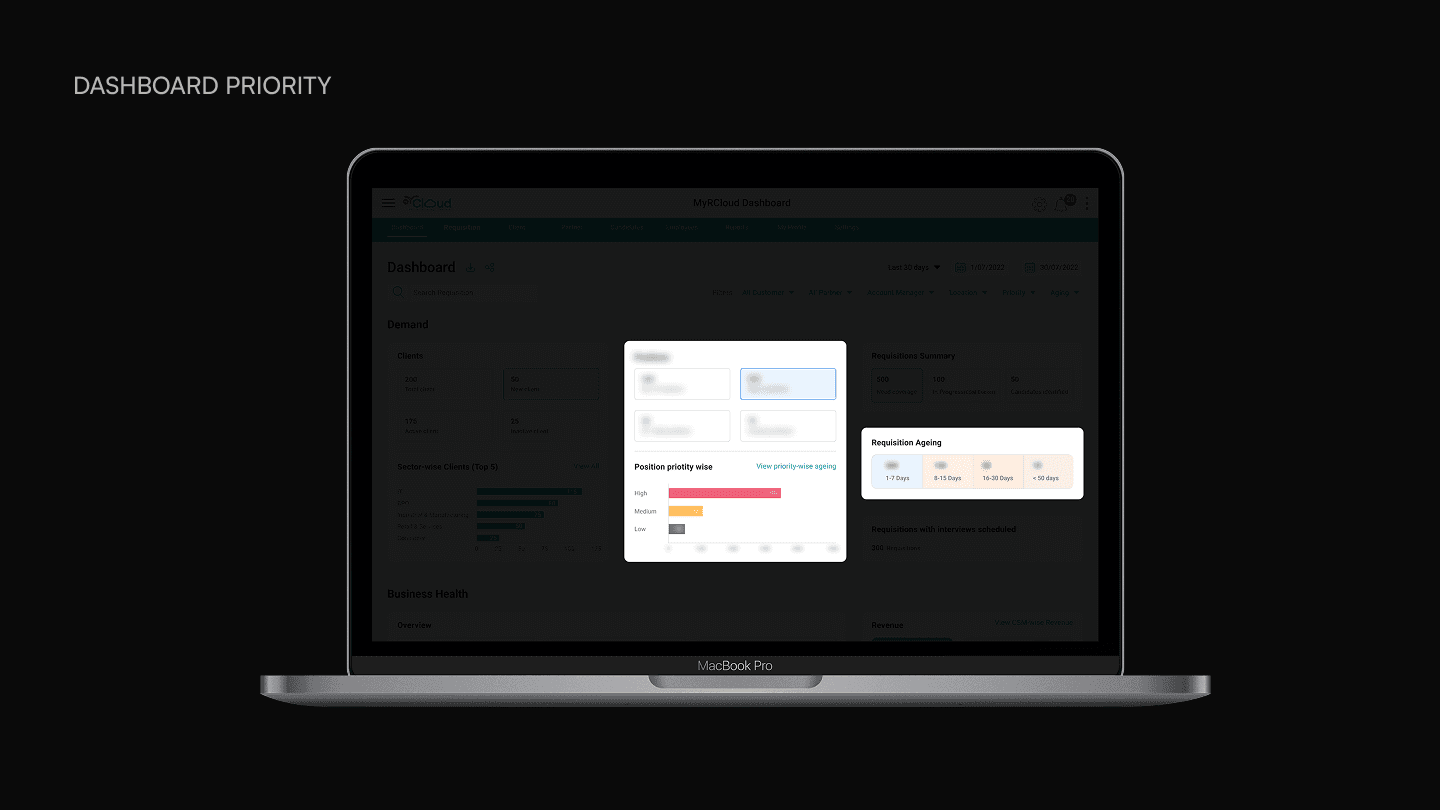
When stakeholders asked for a position priority view, I had to surface the fact that priority is a relative term. Is it based on seniority of the role? How long the position has been open? The client’s importance? After extensive brainstorming with the MyRCloud team, we settled on a time-based definition: if a position has been open longer than a certain threshold, it escalates to the highest priority. This was not a design decision I made in isolation. It required facilitating a conversation where the business had to confront and resolve an ambiguity in their own operations.
When MyRCloud established their brand identity with three colors, red, yellow, and green, they asked us to incorporate all three throughout the product interface. I pushed back. In standard UX conventions, red signals danger and yellow signals warnings. Using these as default interface colors would create confusion. Beyond the usability issue, the combination looked chaotic. I demonstrated the visual problems and convinced stakeholders to use green as the primary brand color while reserving red and yellow for their conventional semantic meanings.
Solution
Create Requisition
The requisition creation flow is the backbone of the entire platform. It is a multi-step form that captures everything needed to define a job opening and match it with the right partners and candidates.
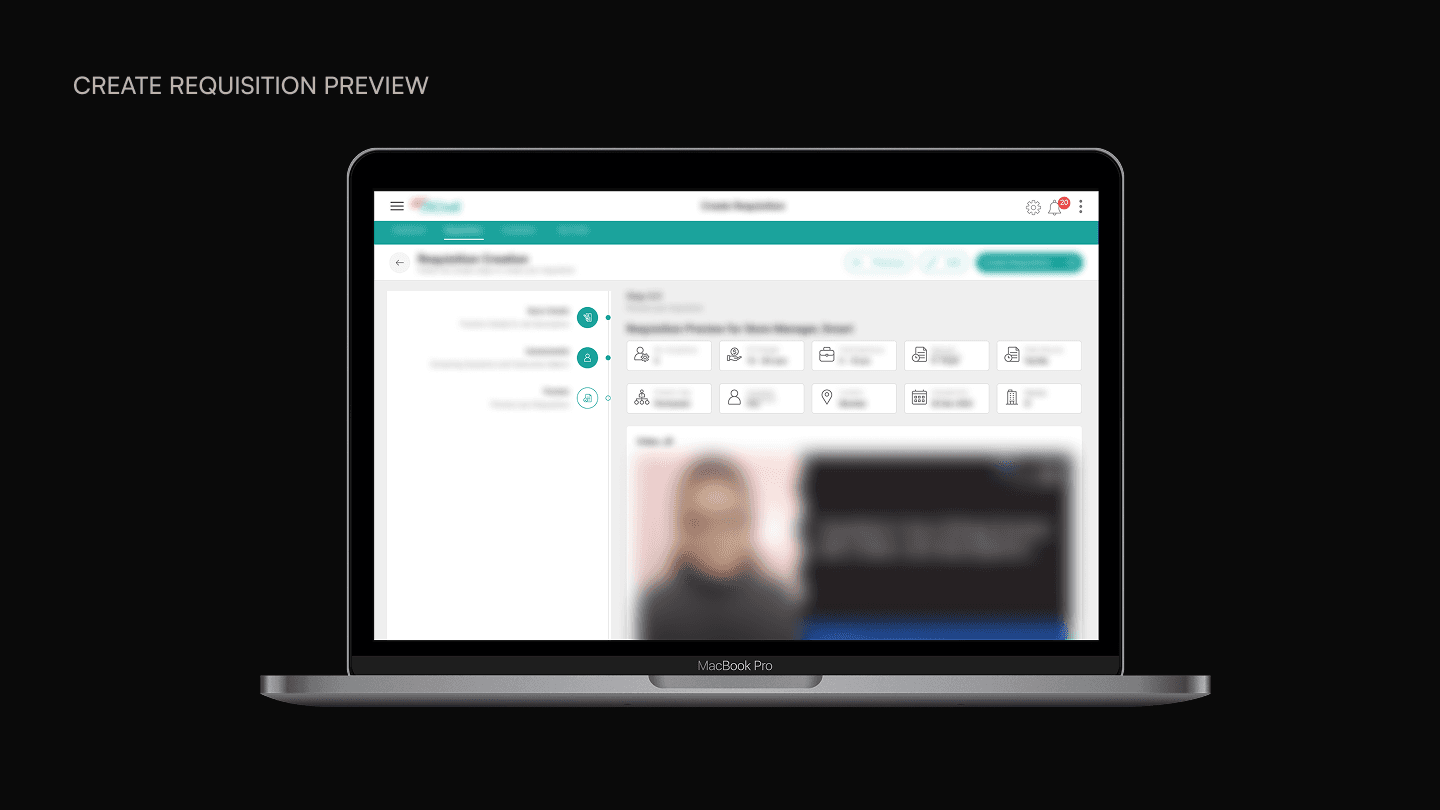
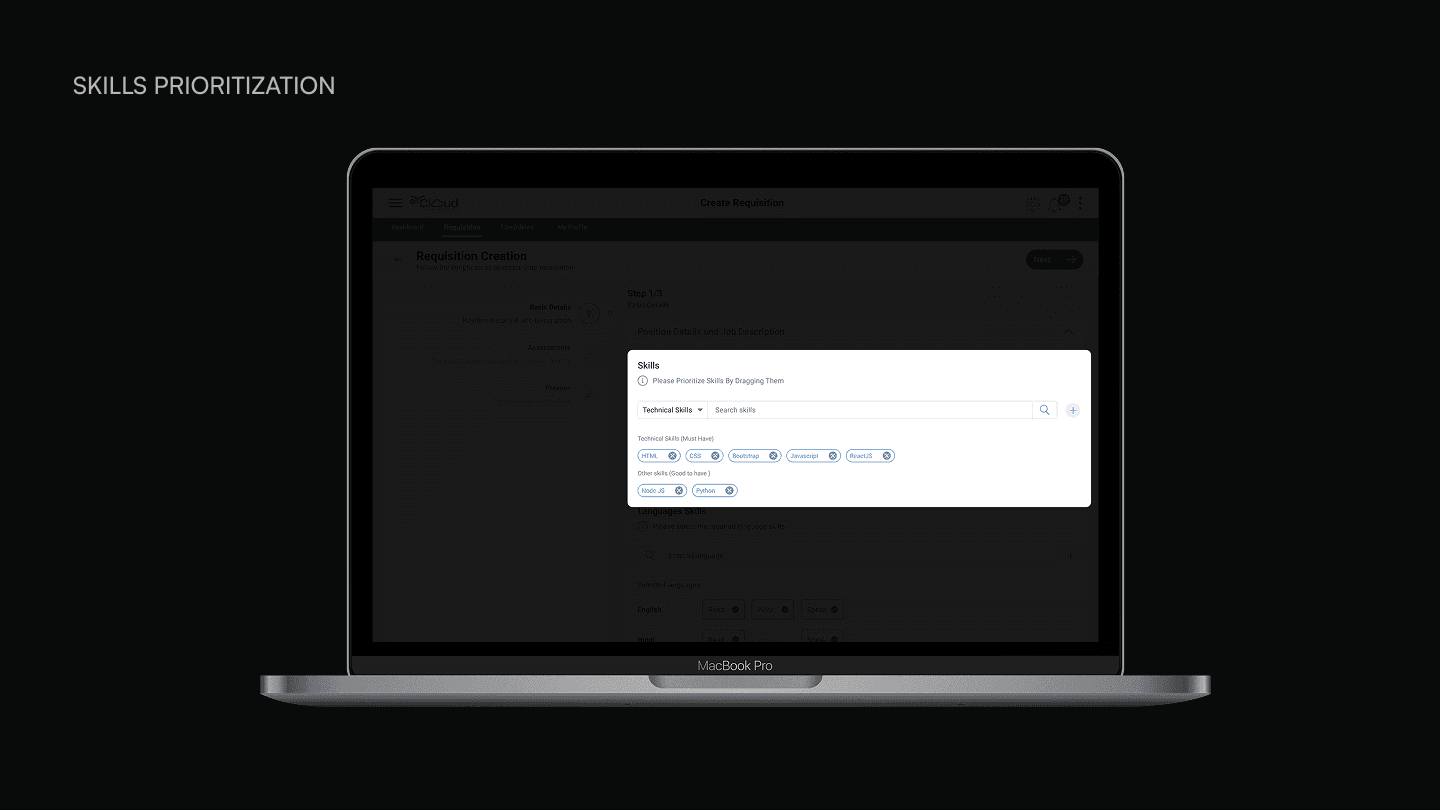
The first step captures position properties, job description with three input options (manual entry, file upload with auto-parsing that fills all fields automatically, or a video JD where candidates can watch a recorded job description), work experience requirements, education, skills categorized as essential, important, and good-to-have with drag-to-prioritize, language skills, compensation with flexible salary modes covering yearly, monthly, weekly, daily, hourly, and per unit, and roles and responsibilities.
The second step covers assessments: screening questions that admins create per position, an instruction input matrix covering work arrangement, sourcing keywords, notice period, and education requirements, and interview process configuration with customizable and reorderable stages.
The third step consolidates everything into a single reviewable preview before the requisition goes live.
Partner Requisition Pipeline
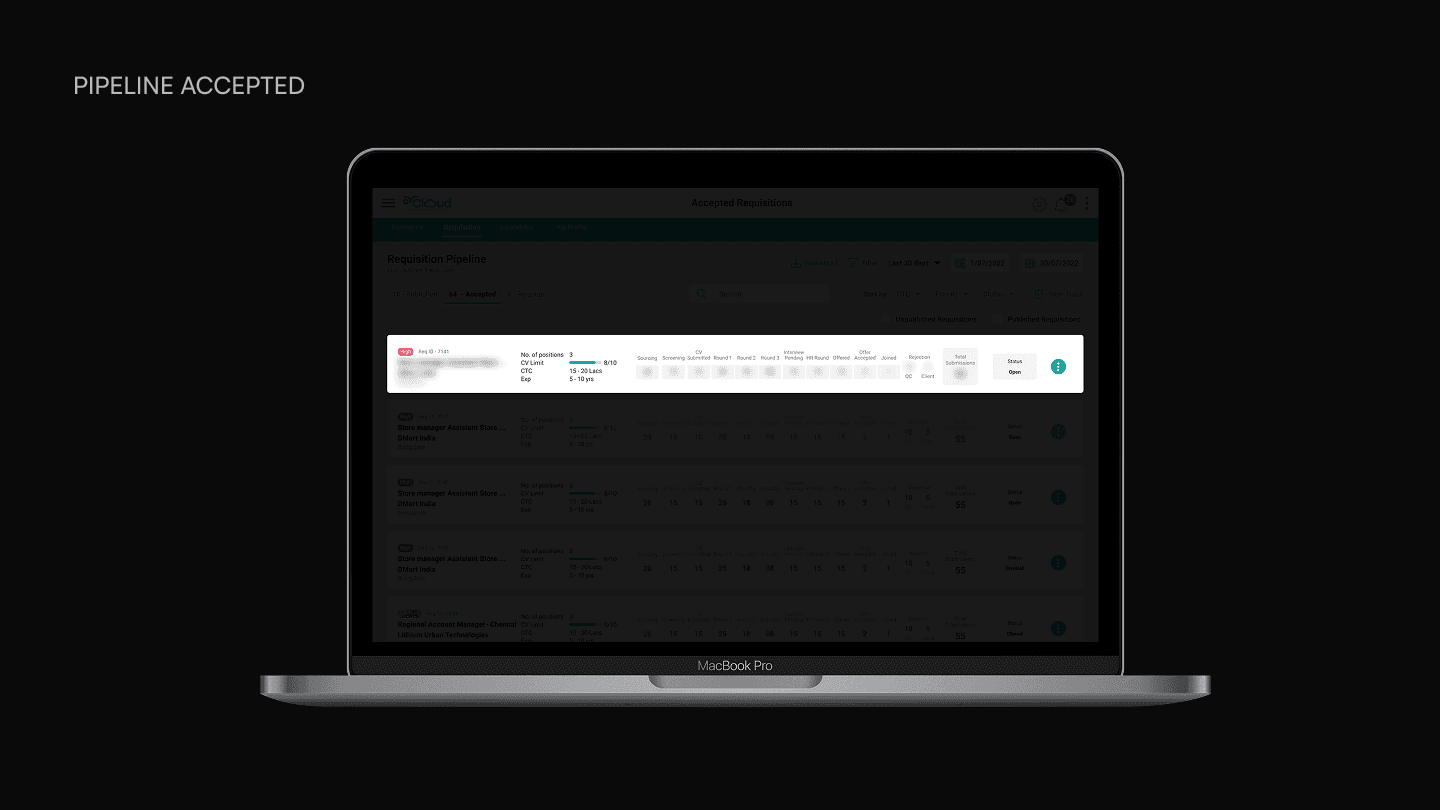
Once a requisition is published, partners see it in their pipeline dashboard. The pipeline has three states: Published for new requisitions to review, Accepted for requisitions actively being worked on, and Rejected.
The published view shows each requisition as a card with the job title, client, location, function, education requirement, number of positions, CV limit with a progress bar, CTC range, experience range, potential revenue, and a call to action to view the requisition and accept it. Partners can filter and sort by CTC, priority, and other criteria.
The accepted view is where the real complexity lives. Each requisition card shows a horizontal candidate funnel with counts at every stage: Sourcing, Screening, Submitted, Round 1 through Round 3, Interview Pending, HR Round, Offered, Accepted, and Joined. Rejections are split by who rejected, either QC or Client. A status badge on each card shows whether the requisition is Open, On Hold, or Closed. This gives partners instant visibility into where their candidates stand without clicking into each requisition individually.
Partners can also share open positions via email, WhatsApp, print, copy link, or QR code.
Role-Based Dashboards
Every persona gets a dashboard tailored to their specific needs, but all dashboards draw from the same underlying data.
The Head CSM Dashboard is the most comprehensive, covering four areas. Demand shows client counts, position counts, requisition summary, requisition ageing buckets, sector-wise top clients, position priority breakdown, and requisitions with interviews scheduled. Business Health shows joined ratio, rejection ratio, time to hire, joinings per month, number of offers, fill-up ratio, total revenue, average revenue per hire, and partner payout. Supply shows partner counts split by independent and agency, partner requisition summary, a stagewise funnel visualization from Sourcing through Joined, QC approval ratio, CV submissions by partner type, and distribution tables for partner activity. Productivity shows requisition movement, delivery team productivity, and top rejection reasons.
The CSM dashboard is nearly identical but removes the delivery team productivity widget, since individual CSMs do not need visibility into other team members’ performance.
The Partner Dashboard focuses on what partners care about: potential revenue per requisition, accepted requisitions with candidate progress through stages, and tools to share job openings.
The Customer Summary Dashboard shows account-specific metrics: upcoming interviews, average time to hire, a recruitment funnel visualization, role-wise open positions, new hire gender diversity, channels versus conversion, and bottom-line numbers like cost per hire, fill-up ratio, and acceptance ratio.
Working With Developers
I did not hand off Figma files and wait for questions. When development started, I sat with the dev team in a conference room for days at a time. The flows had been split among three to four developers, but because everything was interconnected, every developer needed to understand how the other flows worked. I would explain a flow to one developer while the others listened, building shared context across the team. When logic questions came up during implementation, we resolved them in real time.
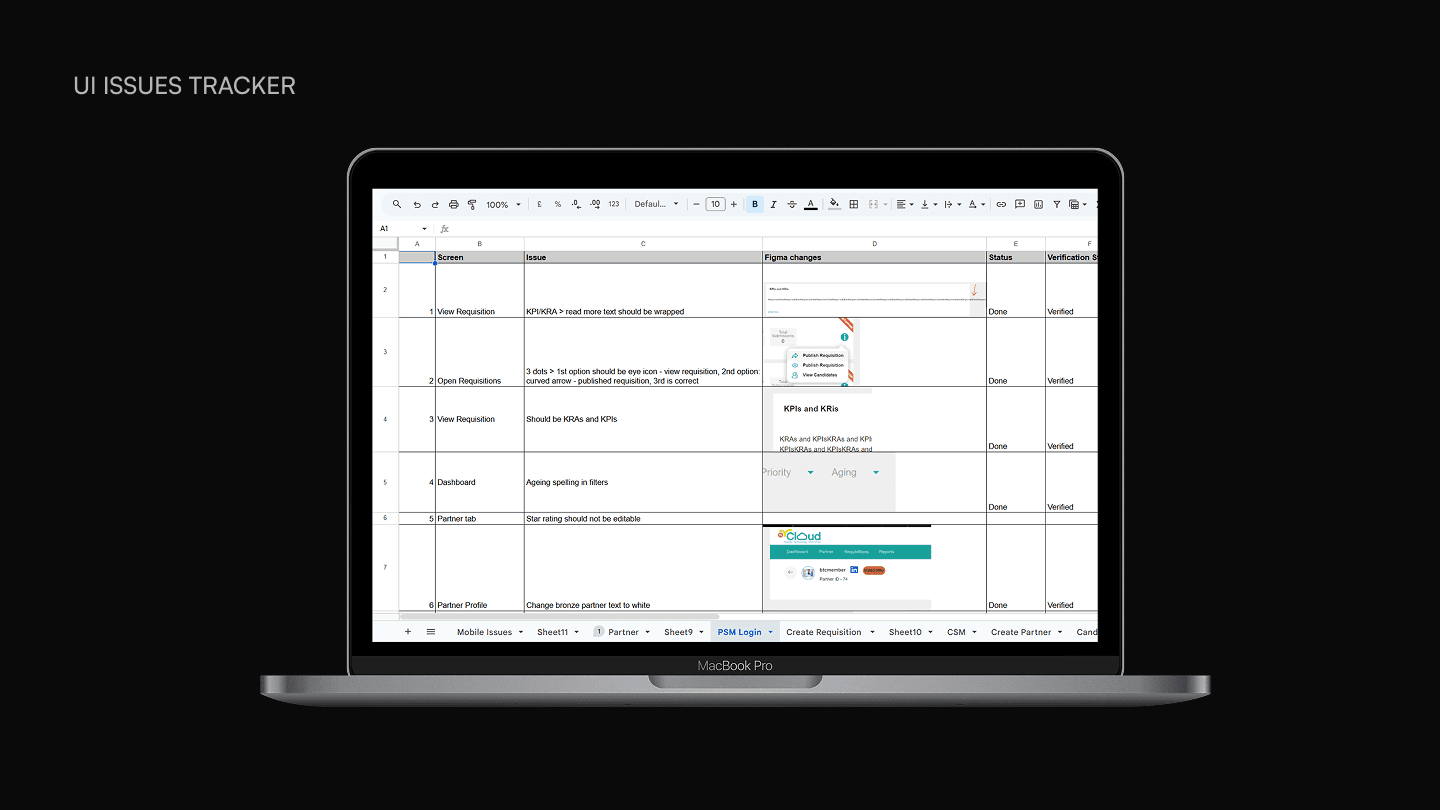
After features were built, I tracked UI issues in a shared spreadsheet organized by flow and persona. I logged issues down to specific CSS values, exact hex color codes, font sizes in rem, and border radius values. The developers would mark items as done, and I would verify each fix. Over 200 issues were tracked and resolved this way across six sheets covering mobile, partner web, PSM login, create requisition, CSM web, and candidate movement.
Impact
Platform at launch · March 2023
MyRCloud launched in March 2023 and is live today at myrcloud.com. The platform replaced a fully manual Google Sheets operation with a structured digital workflow, enabling real-time visibility into candidate pipeline status across all stakeholders. The system includes AI/ML-based candidate fitment scoring, resume parsing, and an intelligent partner matching algorithm. Clients on the platform include companies like Vedanta and DMart.
Reflection
If I were to do this project again, I would invest time in independent research on how recruitment agencies operate before the first workshop. This was my first major project out of college, and I was entirely dependent on stakeholder explanations to build my mental model of the domain. If I had spoken to recruiters outside of MyRCloud or studied how platforms like Naukri or LinkedIn Recruiter handle similar workflows, I might have asked better questions earlier and identified missing flows sooner.
That said, the approach I took, asking hard questions during design, facilitating workshops to resolve ambiguity, and sitting with developers during implementation, these are practices I still use today. This project taught me that designing enterprise software is less about visual craft and more about understanding systems: how people, data, and decisions flow through an organization, and how to translate that into something a machine can support.
A Note on Confidentiality
This project was designed while I was employed at ZingHR, which served as the technology partner for MyRCloud (Reccloud Technologies Private Limited). The prototype above shows the CSM login and dashboard flow, one of several interconnected flows across six user personas. Select screens shown here use demo data for design purposes.